Author Archives: Carl Marshall

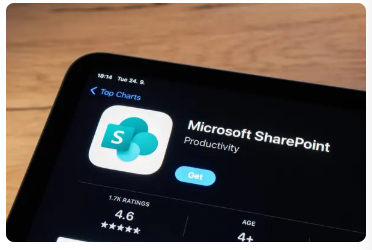
Harnessing SharePoint Out-of-the-Box Features for Cross-Functional Collaboration and Tracking

In an age where collaboration, transparency, and agility are essential for delivering business value, Microsoft SharePoint stands as a mature and versatile platform that empowers teams to work smarter, not harder. When deployed thoughtfully, SharePoint’s out-of-the-box (OOB) capabilities can become a powerful hub for cross-functional coordination, project tracking, and centralized knowledge management. This post explores how SharePoint Lists and Custom Views, along with Microsoft’s guidance on design and integration, can elevate enterprise collaboration. We also explore how SharePoint naturally complements the broader Microsoft Power Platform ecosystem.


Leveraging SharePoint Lists and Custom Views

One of SharePoint’s most robust and accessible features is the SharePoint List. Lists are essentially dynamic, customizable tables that can track everything from tasks and issues to project milestones and asset inventories.

Key Benefits of SharePoint Lists:

  • No-code customization: Product managers and business analysts can configure list columns, validation rules, and views without developer involvement.
  • Versioning and history tracking: Track changes over time and ensure auditability.
  • Integration with Power Automate: Trigger notifications, approvals, and workflows seamlessly.
  • Permissions and roles: Manage access at the list or item level.

Custom Views for Tracking and Visibility

Custom Views allow teams to tailor the display of data based on filters, grouping, and formatting. For example:

  • Kanban-style board views for task management
  • Calendar views for project planning
  • Gantt chart-style views (via integration)
  • Conditional formatting for flagging overdue tasks or priority items

These tools empower cross-functional teams to stay aligned while reducing overhead and friction in status reporting.


Microsoft Style Guide and Look Book for Site Design

Microsoft provides a robust Style Guide and the SharePoint Look Book to ensure visual consistency and brand alignment across SharePoint experiences. These resources are invaluable for teams aiming to build purposeful and aesthetically aligned sites without extensive design resources.

Site Templates Include:

  • Team Sites: Best suited for departmental and agile teams with shared document libraries, task lists, and communication threads.
  • Communication Sites: Ideal for broadcasting information broadly across the organization, such as leadership updates or program overviews.
  • Project Management Sites: Purpose-built for managing scope, timelines, resources, and risks, often integrated with Planner and Microsoft Project.

These templates align with best practices for UX and accessibility, enabling teams to create visually polished experiences with minimal customization.


SharePoint in the Power Platform Ecosystem

SharePoint is not an isolated tool; it is a strategic component of the broader Microsoft Power Platform, which includes:

  • Power Apps: Build tailored applications that write to and read from SharePoint Lists.
  • Power Automate: Automate tasks like notifications, document approvals, or reminders based on list activity.
  • Power BI: Visualize list data to create dashboards and reports for operational insights.

Together, these tools allow organizations to move beyond static document repositories and into the realm of data-driven collaboration. With low-code capabilities, technical leads and business users alike can prototype, deploy, and iterate on solutions that enhance team productivity.


Governance and Strategic Alignment

For leadership and technical governance teams, aligning SharePoint implementations with organizational strategy is paramount. SharePoint allows for scalable governance models, including:

  • Information architecture standardization
  • Security and compliance controls
  • Site provisioning automation
  • Template reuse for onboarding and project kickoff

When well-structured, SharePoint supports federated team environments while enabling centralized oversight.


Conclusion

SharePoint’s out-of-the-box features, especially Lists and Custom Views, are more than functional conveniences—they are foundational tools for building transparency, collaboration, and accountability across teams. When coupled with Microsoft’s design guidance and integrated with the Power Platform, SharePoint becomes a comprehensive solution for modern work management.

Recommendation for Product Managers and Technical Leads: Start by evaluating where manual coordination or siloed communication exists. A well-configured SharePoint site could be the bridge that brings data, people, and process together into a shared, governed space.

With the right implementation, SharePoint can be a catalyst for operational excellence and digital transformation.
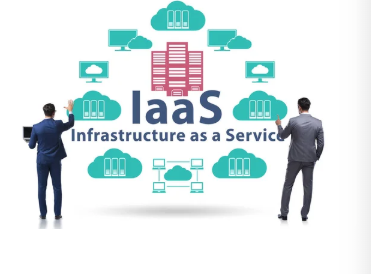

Leveraging Digital Ocean’s IaaS Capabilities for Development and Deployment

In the modern cloud computing landscape, Infrastructure-as-a-Service (IaaS) platforms play a critical role in enabling agile, scalable, and cost-effective development environments. DigitalOcean has emerged as a prominent IaaS provider, particularly favored by startups, SMBs, and technical teams seeking simplicity without compromising on power. This blog post explores how organizations can leverage DigitalOcean’s IaaS offerings—particularly Droplets, managed databases, and emerging AI/ML capabilities—to streamline development and deployment efforts.


Why Digital Ocean? A Focused IaaS Approach

DigitalOcean positions itself as a developer-friendly, cost-effective alternative to larger cloud providers like AWS, Azure, or GCP. Its value proposition lies in its simplicity, predictable pricing, and ease of use—attributes that resonate with technical teams focused on speed, cost control, and minimal administrative overhead.


Key Features for Development and Deployment

1. Droplets (Virtual Machines)

DigitalOcean Droplets are lightweight Linux-based virtual machines that can be spun up in seconds. They come in a range of configurations including:

  • Basic Droplets for general-purpose workloads
  • CPU-Optimized Droplets for compute-intensive applications
  • Memory-Optimized Droplets for in-memory databases and caching

Use Case: Ideal for running web servers, CI/CD pipelines, microservices, containerized workloads, and development environments.

2. Managed Databases

DigitalOcean offers fully-managed database services for:

  • PostgreSQL
  • MySQL
  • Redis
  • MongoDB

These managed solutions include automated backups, high availability, read-only replicas, and effortless scaling—all with minimal configuration.

Use Case: Backend data persistence for SaaS platforms, content management systems, analytics engines, and more.

3. App Platform (PaaS Layer)

While primarily an IaaS provider, DigitalOcean also offers App Platform, a Platform-as-a-Service (PaaS) solution for rapid deployment of web applications using Git integrations and auto-scaling.

Use Case: Great for teams that want to abstract server management without losing visibility into runtime behavior.

4. AI/ML Capabilities

Recently, DigitalOcean has begun investing in AI/ML services through partnerships and acquisitions (e.g., Paperspace). Teams can now access GPU-enabled Droplets and tools for training, inference, and deployment of machine learning models.

Use Case: Building and deploying generative AI models, computer vision applications, or natural language processing pipelines.

5. Scalable Storage Solutions

DigitalOcean provides flexible storage options, including:

  • Block Storage: Attachable SSD volumes for persistent storage
  • Object Storage (Spaces): S3-compatible solution for storing unstructured data
  • Volumes with Automated Backups: Ideal for data resilience

Use Case: Media storage, backups, logs, and static asset hosting.


Pros of Using DigitalOcean

Simplicity and Developer Experience
The UI/UX and API are intuitive, making it easy for development teams to get started quickly.

Predictable Pricing
Flat-rate pricing helps avoid unpredictable billing common in hyperscale clouds.

Fast Provisioning
Droplets can be deployed in under a minute, enabling rapid prototyping and testing.

Robust API and CLI Support
Teams can automate deployment pipelines and infrastructure provisioning via Terraform, Ansible, and other tools.

Global Data Centers
DigitalOcean offers 14+ data center regions across North America, Europe, and Asia for low-latency experiences.


Cons and Drawbacks

Limited Enterprise-Grade Offerings
DigitalOcean lacks the breadth of services found in AWS or Azure (e.g., advanced networking, enterprise support, serverless functions, etc.).

Compliance & Security Certifications
While secure by default, DigitalOcean may fall short on compliance standards (HIPAA, FedRAMP, etc.) required by regulated industries.

Less Mature Ecosystem for AI
Compared to platforms like GCP with Vertex AI or AWS SageMaker, DigitalOcean’s AI offerings are emerging but still early-stage.

Scaling Complexity
For large-scale enterprises, workload orchestration and observability tools are not as integrated or mature.


When to Choose DigitalOcean

DigitalOcean is a strong candidate for:

  • Startups and small teams with limited DevOps resources
  • Mid-sized enterprises looking to reduce cloud costs
  • Development teams that value speed, simplicity, and clear pricing
  • Projects that don’t require highly specialized enterprise compliance or vendor lock-in

Leadership Considerations

For technical leads, product managers, and executive stakeholders, DigitalOcean provides a compelling middle ground lower cost and complexity than hyperscalers, but with enough robustness to support modern application lifecycles. However, leaders should evaluate the trade-offs in long-term scalability, compliance, and feature richness depending on business goals.


Conclusion

DigitalOcean continues to evolve as a practical, developer-focused IaaS provider with a growing ecosystem of capabilities. While it may not match the breadth of AWS or Azure, its simplicity, cost-effectiveness, and developer-first design make it a worthy contender for many organizations seeking efficient development and deployment strategies.

Recommendation: Use DigitalOcean for MVPs, test environments, and moderately scaled production workloads, while keeping an eye on AI and compliance capabilities as the platform matures.

Workflow Automation

Boosting Efficiency with Workflow Automation: A Guide for Small Businesses, Tech Startups, and Entrepreneurs

In the fast-paced world of modern business, efficiency isn’t just a luxury — it’s a necessity. For small businesses, tech startups, and entrepreneurs striving to scale and compete, streamlining workflows can mean the difference between success and stagnation.

Enter workflow automation: a game-changing approach to replacing manual, time-consuming processes with digital efficiency.

But what tools make this transformation possible? For many businesses, the magic lies in tech stacks like LAMP, MEAN, and MERN. These powerful frameworks offer the backbone for creating tailored solutions to simplify workflows, boost productivity, and cut costs.

Let’s dive into what these stacks are and how they can revolutionize your operations.

The Power of Workflow Automation

Workflow automation replaces repetitive manual tasks with automated processes, reducing errors and freeing up time for more strategic activities. Whether it’s managing customer inquiries, processing orders, or handling data synchronization, automation tools can:

  • Save Time: Automate routine processes, allowing teams to focus on high-value work.
  • Enhance Accuracy: Eliminate human errors common in repetitive tasks.
  • Boost Scalability: Handle increasing workloads without a proportional rise in costs or staff.
  • Improve Collaboration: Streamline communication and ensure team members stay aligned.

LAMP, MEAN, and MERN: Foundations of Automation

Workflow automation doesn’t happen by magic. It requires robust frameworks to build applications and integrate processes effectively. That’s where LAMP, MEAN, and MERN come in.

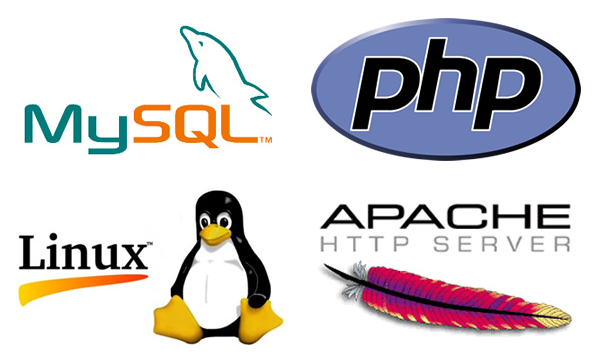
1. LAMP (Linux, Apache, MySQL, PHP)

LAMP stack

The LAMP stack is a tried-and-true framework that has powered countless web applications. It’s especially valuable for small businesses looking for reliable and cost-effective solutions.

  • Linux: Provides a stable, open-source operating system.
  • Apache: Handles web server duties for hosting applications.
  • MySQL: Manages databases, enabling efficient storage and retrieval of information.
  • PHP: Offers flexibility in coding server-side scripts.

Use Case: Automating a customer feedback system. LAMP can power a web-based application that collects feedback, organizes it in a database, and triggers automated follow-ups or analytics dashboards.

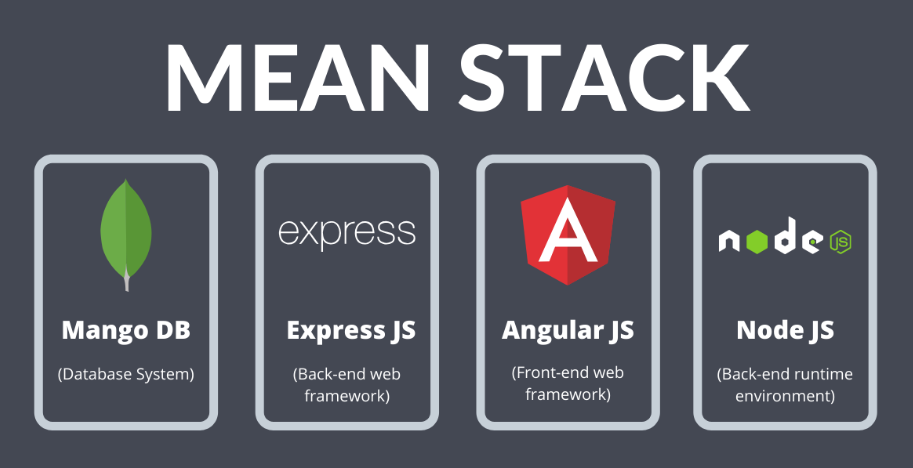
2. MEAN (MongoDB, Express.js, Angular, Node.js)

MEAN stack

The MEAN stack is a modern, JavaScript-based framework ideal for creating dynamic, cloud-ready applications. Its versatility makes it a favorite among tech startups.

  • MongoDB: A NoSQL database for flexible, scalable data storage.
  • Express.js: Simplifies backend development with robust middleware.
  • Angular: Builds dynamic, user-friendly frontends.
  • Node.js: Ensures high-speed server-side operations.

Use Case: Automating inventory management. A MEAN stack application can track stock levels in real time, send alerts for low inventory, and sync data with sales systems.

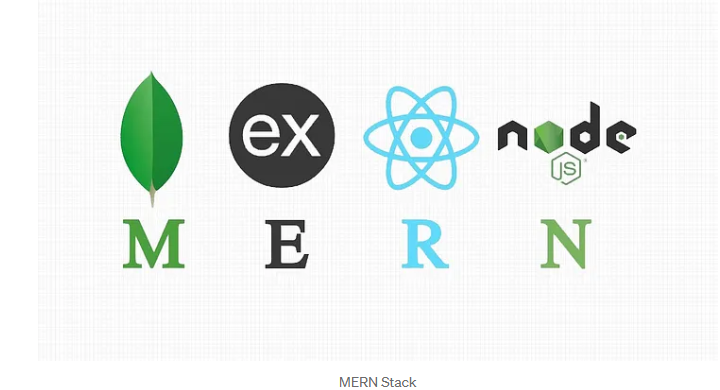
3. MERN (MongoDB, Express.js, React, Node.js)

MERN stack

Similar to MEAN, the MERN stack swaps Angular for React, a popular library for building highly interactive user interfaces. MERN is perfect for businesses prioritizing seamless user experiences.

  • React: Enables developers to create fast, responsive interfaces.

Use Case: Automating client onboarding. A MERN stack application can guide clients through a self-service onboarding process, integrating with CRM tools for automatic data entry.

Why These Stacks Matter for Small Businesses and Startups

  1. Cost Efficiency: Open-source components keep development costs low.
  2. Scalability: Easily handle growing workloads as your business expands.
  3. Customizability: Tailor solutions to your unique needs, ensuring relevance and usability.
  4. Integration Capabilities: Seamlessly connect with third-party tools and APIs, such as payment gateways, marketing platforms, and analytics tools.

Getting Started with Workflow Automation

Implementing workflow automation might feel daunting, but these steps can guide you:

  1. Identify Bottlenecks: Analyze existing workflows to pinpoint inefficiencies.
  2. Set Clear Goals: Define what you want to achieve with automation (e.g., faster processing, better accuracy).
  3. Choose the Right Tools: Select the stack that aligns with your business needs and technical expertise.
  4. Develop and Test: Work with developers to build and test your automation solutions.
  5. Monitor and Optimize: Continuously refine workflows to ensure maximum efficiency.

Final Thoughts

In today’s competitive landscape, workflow automation isn’t optional — it’s essential. With frameworks like LAMP, MEAN, and MERN, small businesses, tech startups, and entrepreneurs can unlock new levels of efficiency and innovation. By embracing these tools, you’re not just streamlining processes; you’re building a foundation for sustainable growth.

So, what’s holding you back? Dive into workflow automation today and watch your business transform.

MIS Professional Web Services

Transform Your Business with MIS Professional Services

As a small or medium-sized business owner, you manage multiple responsibilities, from driving innovation to solving problems and leading your team. Balancing these tasks while staying ahead in the ever-changing digital landscape can be challenging.

That’s why we offer professional services tailored to meet your unique needs, helping your business thrive in today’s competitive market.

At MIS, we specialize in providing professional web services and professional solutions designed to help your business thrive in today’s competitive market. Whether you’re launching a new website, streamlining your processes, or looking to connect with customers in a meaningful way, we’ve got you covered.

Why Small and Medium Businesses Need Us Now More Than Ever

1. Your Website Is Your 24/7 Salesperson

Does your website work as hard as you do? An outdated or clunky site can cost you potential customers. Our web services include sleek, mobile-friendly designs that convert visitors into loyal clients.

Whether you need a simple landing page or a full-scale e-commerce platform, we craft websites that reflect your brand and drive results.

2. Professional Services That Make Your Life Easier

Running a business is hard work. From optimizing workflows to managing critical projects, our professional services are designed to save you time and money. Let us handle the details, so you can focus on growing your business.

3. Stand Out in a Crowded Marketplace

Your business is unique, and your digital presence should be, too. We offer branding, SEO, and digital marketing strategies that ensure your business stands out online, capturing the attention of your ideal customers.

What We Offer

  • Custom Web Design & Development: Modern, responsive, and user-friendly websites tailored to your needs.
  • SEO & Digital Marketing: Strategies that increase your online visibility and bring customers to your door.
  • E-commerce Solutions: Robust online stores that make selling simple and effective.
  • Professional Services: Project management, workflow optimization, and more to help you work smarter, not harder.
  • Ongoing Support: From maintenance to troubleshooting, we’re here for you every step of the way.

Your Success Is Our Mission

We don’t just provide services; we partner with you to create success stories. Small and medium-sized businesses are the backbone of our economy, and we’re passionate about empowering you with the tools, technologies, and expertise you need to thrive.

So, what’s your next move? Whether you’re looking to refresh your website, expand your digital reach, or streamline your operations, we’re here to make it happen. Let’s build something amazing together.

Meet Our Team

At MIS, our team is the backbone of everything we do. We are a diverse group of experienced professionals passionate about helping small and medium-sized businesses succeed. From creative web designers and savvy digital marketers to expert developers and project managers, each member of our team brings a wealth of expertise to the table.

What sets us apart is our collaborative approach. We work closely with you to understand your business needs, ensuring every solution we deliver aligns with your goals. Our commitment to excellence and innovation guarantees results that drive your business forward.

Our Tech Stack

We leverage the latest technologies to build solutions that are not only powerful but also scalable and reliable. Our tech stack includes:

By staying updated with emerging technologies and industry best practices, we ensure that your digital presence remains cutting-edge and competitive.

With our skilled team and robust tech stack, you can trust MIS to deliver professional web services that meet your needs and exceed your expectations. Let’s build a solution that drives your success!

Ready to Get Started?

Contact us today for a free consultation and see how MIS can transform your business. Let’s take your vision and turn it into reality!

Large Language Design Models LLDM

Designing the Future: The Rise of LLDMs (Large Language Design Models)

Introduction:
In the evolving world of technology, Large Language Models (LLMs) like ChatGPT have been making headlines for their impressive capabilities in understanding and generating human-like text. But beyond language lies a more focused application for designers and developers: Large Language Design Models (LLDMs). These advanced models are poised to transform how we approach user interface (UI) and user experience (UX) design by integrating generative AI with design principles. As a Principal UI Architect, let’s delve into this emerging field, its maturity as a product, and its pros and cons.


What Are LLDMs?


How LLDMs Will Mature as a Product

LLDM technology is currently in its nascent stages, often integrated into broader design tools like Figma or Adobe XD. However, here’s how it’s likely to evolve:

  1. Contextual Design Generation: Models will become adept at understanding specific design contexts, such as industry standards, accessibility requirements, and branding guidelines, to produce tailored recommendations.
  2. Collaborative Workflows: LLDMs will integrate seamlessly with team workflows, enabling real-time collaboration by suggesting improvements during design sprints.
  3. Explainable AI in Design: Future LLDMs will provide detailed explanations for their suggestions, making it easier for designers to trust and refine AI-generated outputs.
  4. Feedback Loops: The ability to learn from user feedback and improve iteratively will enhance their precision and relevance over time.
  5. Cross-Disciplinary Applications: Beyond UI/UX, LLDMs could assist with product strategy by simulating user behaviors, improving onboarding flows, and aligning designs with business goals.

Advantages of LLDMs

  1. Speed and Efficiency: LLDMs can generate design prototypes in minutes, dramatically reducing the initial ideation phase.
  2. Data-Driven Insights: They analyze vast datasets to make recommendations, helping eliminate guesswork in design.
  3. Scalability: Whether you’re designing for mobile, web, or IoT, LLDMs can adapt designs for multiple platforms effortlessly.
  4. Accessibility Optimization: LLDMs are trained to consider accessibility standards like WCAG, making inclusive design more achievable.
  5. Cost Reduction: By streamlining repetitive tasks, LLDMs free up human designers for more strategic, creative work.

Disadvantages and Drawbacks

  1. Creativity Constraints: LLDMs work within the boundaries of their training data, which may limit innovation or lead to designs that feel formulaic.
  2. Learning Curve: Integrating LLDMs into workflows may require training and adjustments, especially for teams new to AI tools.
  3. Dependence on Data Quality: The quality of LLDM outputs depends heavily on the datasets they’re trained on. Biases or gaps in the data could lead to suboptimal designs.
  4. Ethical Concerns: Over-reliance on AI for design decisions could raise questions about authorship and accountability.
  5. Job Displacement Fears: While LLDMs are meant to augment human creativity, there’s a risk of designers feeling threatened by automation.

The Path Forward

As LLDMs continue to mature, the role of designers will shift. Instead of solely crafting interfaces, designers will act as orchestrators—guiding AI tools to align outputs with user needs and business objectives. The future lies in collaboration, where LLDMs enhance creativity rather than replace it.

For organizations, adopting LLDMs means staying ahead in a competitive digital landscape. By leveraging these tools, teams can iterate faster, deliver user-centered designs, and adapt to ever-changing market demands.


Conclusion:

Large Language Design Models represent the next wave of innovation in the UI/UX space. While challenges exist, the potential to revolutionize design workflows is undeniable. As we embrace these tools, the emphasis must remain on creating meaningful, human-centered experiences—because at the end of the day, even the smartest LLDM is only as good as the vision guiding it.

Are you ready to design with the future in mind?