Understanding User Personas: The Foundation of Human-Centered Design

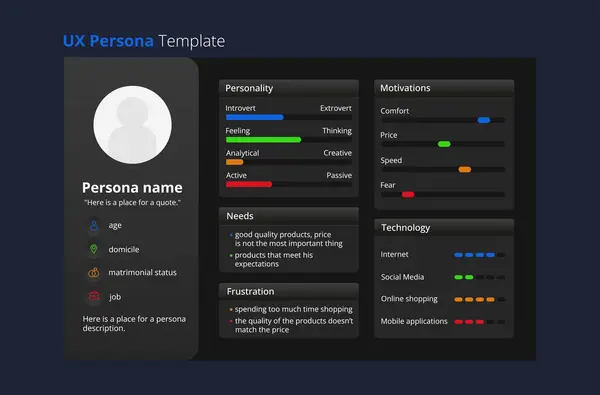
In Human-Centered Design (HCD), understanding the people who use your product or service is the cornerstone of building meaningful, effective solutions. One of the most powerful tools in this process is the User Persona a research-based representation of key user groups that captures their motivations, needs, goals, and pain points.

The Purpose of User Personas

User personas serve as a bridge between design and reality — transforming abstract data into relatable, humanized profiles. They help teams empathize with end users by illustrating who they are, what they value, and what challenges they face. By grounding decisions in real user insights, personas guide product teams to design experiences that are intuitive, relevant, and aligned with user expectations.

Where Personas Fit in the HCD Process
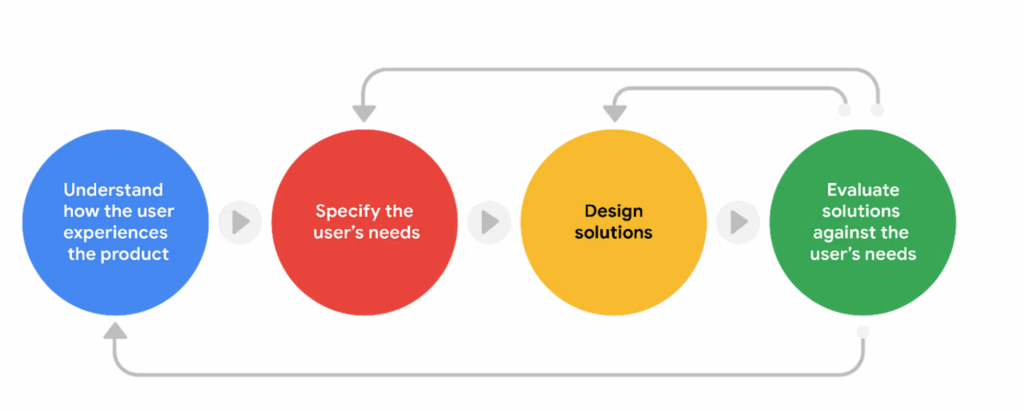
Creating user personas is a critical activity within the User Research phase of the Human-Centered Design process. During this stage, researchers and analysts gather qualitative and quantitative data through interviews, surveys, observations, and usability studies. The goal is to uncover behavioral patterns and identify shared characteristics that form the foundation of persona development.

Once synthesized, personas become a living reference point that informs subsequent design and development activities — from defining user journeys to shaping functional requirements and prioritizing features.

Outputs Captured Through User Personas
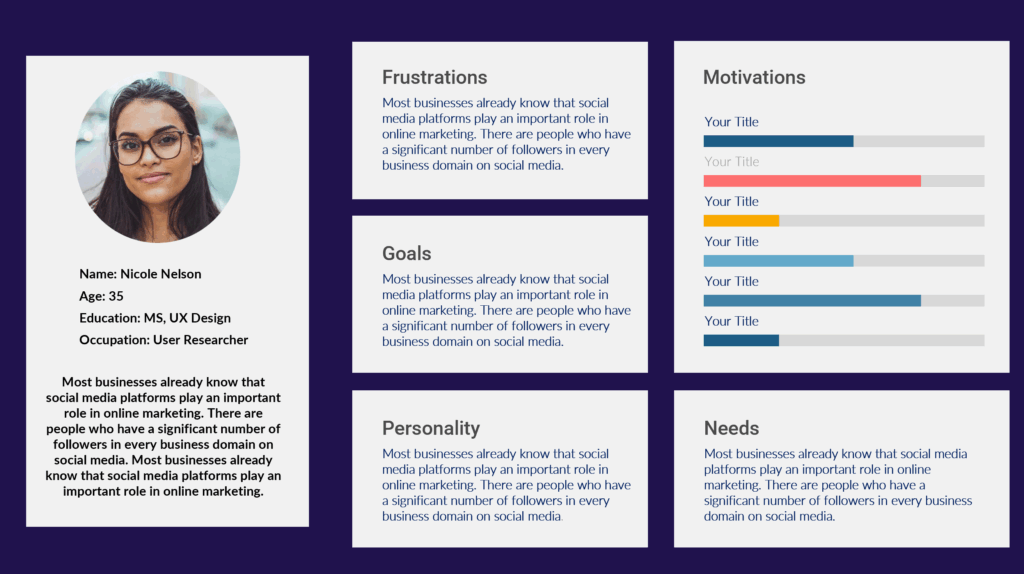
Well-developed user personas capture a range of essential insights, including:

User Needs: The problems or desires that users expect the product or service to fulfill.

Goals: The outcomes or achievements users seek through their interactions.

Pain Points: Frustrations, barriers, or inefficiencies that negatively impact the user experience.

Behaviors and Motivations: How users engage with the product, what drives their decisions, and what influences their actions.

These outputs ensure that every design and product decision remains anchored in real-world context, not assumptions.

The Role of the Business Analyst in Persona Development

While designers often lead persona creation, Business Analysts (BAs) play a vital role in ensuring user needs align with organizational goals and technical feasibility. Through stakeholder interviews, process analysis, and requirement documentation, BAs translate persona insights into actionable business and functional requirements.

They serve as a connector — bridging user research with business strategy. This alignment ensures that solutions are not only desirable for users but also viable for the business and feasible for development teams.

Conclusion

User personas are more than just profiles; they are strategic tools that keep teams focused on what truly matters the people who will use and benefit from the product. By integrating personas early in the HCD process and leveraging the analytical rigor of business analysts, organizations can create solutions that are both user-centered and business-aligned.

When teams understand who they’re designing for and why, they create products that resonate, inspire, and deliver lasting impact.
🧭 Strategic vs. Product Roadmaps: Visualizing the Path from Vision to Delivery

Introduction

In today’s fast-paced product environment, clarity and alignment are vital. A well-crafted roadmap is more than a list of milestones — it’s a visual story that connects the product vision, organizational strategy, and delivery outcomes.

Yet, not all roadmaps serve the same purpose. The two most common — the Strategic Roadmap and the Product Roadmap play distinct but complementary roles in ensuring alignment from the boardroom to the scrum team.


1. The Strategic Roadmap: Framing the Vision

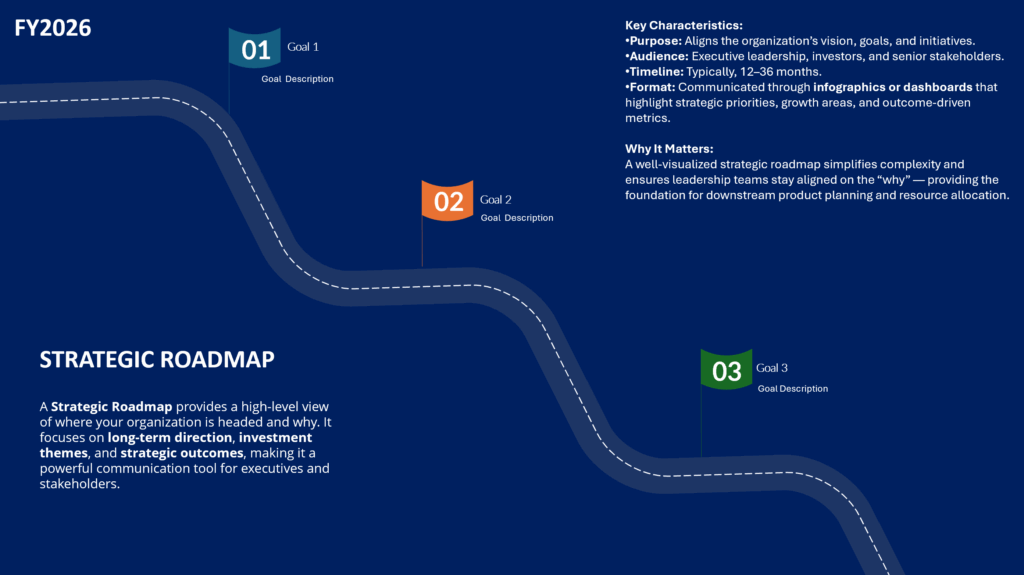
A Strategic Roadmap provides a high-level view of where your organization is headed and why. It focuses on long-term direction, investment themes, and strategic outcomes, making it a powerful communication tool for executives and stakeholders.

Key Characteristics:

  • Purpose: Aligns the organization’s vision, goals, and initiatives.
  • Audience: Executive leadership, investors, and senior stakeholders.
  • Timeline: Typically 12–36 months.
  • Format: Communicated through infographics or dashboards that highlight strategic priorities, growth areas, and outcome-driven metrics.

Why It Matters:
A well-visualized strategic roadmap simplifies complexity and ensures leadership teams stay aligned on the “why” — providing the foundation for downstream product planning and resource allocation.


2. The Product Roadmap: Translating Vision into Execution

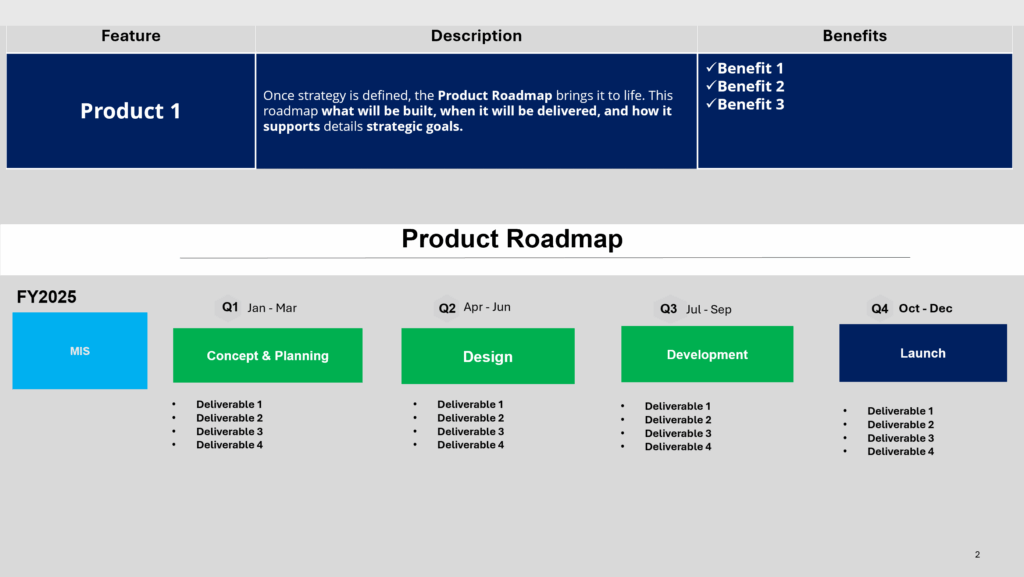
Once strategy is defined, the Product Roadmap brings it to life. This roadmap details what will be built, when it will be delivered, and how it supports strategic goals.

Key Characteristics:

  • Purpose: Guides execution and communicates delivery progress.
  • Audience: Product teams, engineering, marketing, and operations.
  • Timeline: Typically 3–12 months.
  • Format: Presented in PowerPoint decks or interactive planning tools, featuring timelines, deliverables, dependencies, and KPIs.

Why It Matters:
A tactical roadmap ensures every sprint, release, and milestone ties directly back to the larger organizational strategy — keeping execution focused, measurable, and transparent.


3. Communicating with Visuals: From Complexity to Clarity

Great roadmaps don’t just inform — they inspire action. Visuals play a critical role in making complex information understandable across audiences.

Strategic Roadmaps benefit from:

  • Infographic-style layouts showing pillars, themes, and investment areas.
  • High-level visuals that emphasize outcomes over features.

Product Roadmaps thrive with:

  • PowerPoint templates that include timelines, release phases, and dependencies.
  • Clear milestone visuals that connect tactical progress to strategic objectives.

By tailoring your visual approach, you make it easier for stakeholders to interpret the story behind the roadmap — reducing confusion and increasing confidence in the plan.


4. Request Visual Roadmap Templates

To make it easier for teams to get started, we’ve created ready-to-use visual roadmap templates that include both:

  • Strategic Roadmap Infographics, and
  • Product Roadmap PowerPoint layouts with timeline and deliverable structures.

📩 Click here to request access to the Visual Roadmap Templates via Google Form.

These templates are designed to help product managers and leaders present their roadmap with clarity, consistency, and alignment — no matter where they are in the planning cycle.


5. Final Thoughts

A roadmap is more than a planning artifact it’s a strategic communication tool that connects vision to value.

By distinguishing between strategic and product roadmaps and presenting them through clear, visually engaging formats, product managers can:

  • Strengthen alignment across teams,
  • Improve stakeholder engagement, and
  • Drive execution with greater confidence and transparency.

As organizations evolve, so should the way we communicate our vision.
A visual roadmap doesn’t just show the path — it makes the journey understandable, actionable, and inspiring.

From WooCommerce to Custom MERN Stack

How a Boutique Hair Company Scaled Their E-Commerce Site

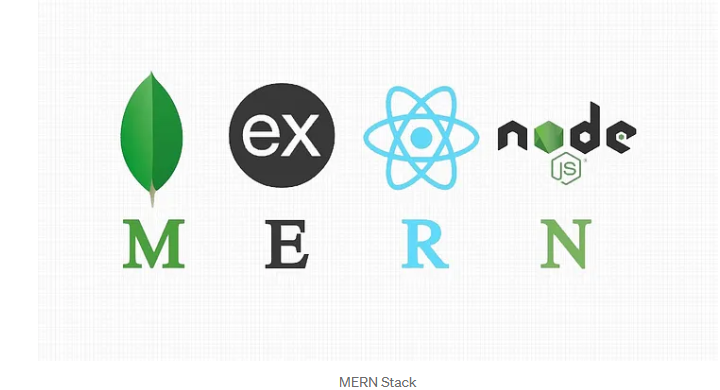
In today’s competitive beauty and retail market, customer experience, performance, and scalability are no longer luxuries they are expectations. For one ambitious boutique hair company, the limitations of their WooCommerce-powered site began to restrict growth and efficiency. That’s when they partnered with a professional services team to build a fully customized MERN stack (MongoDB, Express.js, React.js, Node.js) e-commerce platform.

This post explores why the shift was necessary, the trade-offs of going custom, and the measurable business outcomes that followed.


Background: A Boutique Hair Business with Big Ambitions

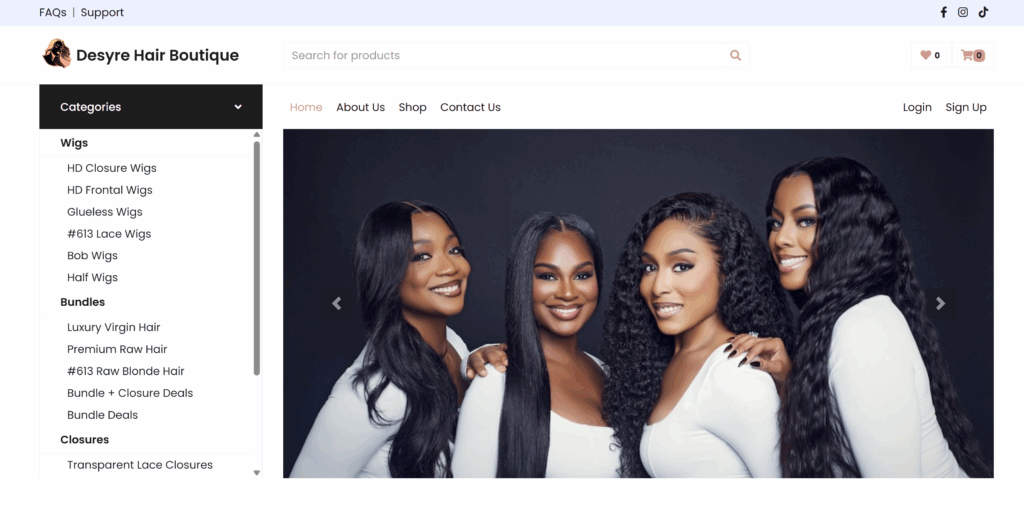
Desyre Hair Boutique specializes in premium wigs, bundles, closures, and frontals. Their goal: to deliver a luxury shopping experience online with the same ease as in-person consultations.

Initially, they launched on WooCommerce for affordability and speed—but as their brand gained traction, cracks began to show.


Pain Points of WooCommerce

While WooCommerce provided a quick entry point into e-commerce, the platform’s limitations became more evident as the business scaled.

1. Performance Bottlenecks

  • Slower load times as product images, plugins, and traffic grew
  • Frequent downtime during product drops and flash sales

2. Customization Constraints

  • Rigid checkout process without support for installment plans or bundle builders
  • Limited control over the front-end experience without heavy plugin reliance

3. Security & Maintenance

  • Dependence on third-party plugins created security vulnerabilities
  • WordPress updates often broke site elements or customizations

Why a Custom MERN Stack Solution?

To overcome these barriers, DHB engaged MIS professional services team to design and develop a custom MERN stack platform tailored to their specific needs. The new system offered complete control, performance optimization, and scalable architecture.


WooCommerce vs. Custom MERN Stack: Pros & Cons

FeatureWooCommerceCustom MERN Stack
PerformanceLimited by hosting & pluginsOptimized with server-side rendering & APIs
CustomizationDependent on pluginsFull flexibility across UI & workflows
SecurityPlugin vulnerabilitiesCustom security protocols
ScalabilityWorks for small-to-mid catalogsBuilt for growth & enterprise-level
Time to LaunchQuick setupLonger dev lifecycle
MaintenanceRequires plugin monitoringNeeds dev support, but fewer risks
CostLow upfront, higher plugin costsHigher upfront, lower long-term costs

Features of the New Custom Platform

  • Dynamic product filters (by texture, length, color, type)
  • AI-powered wig size recommender
  • Custom bundle builder (mix-and-match closures, wefts, lace)
  • Integrated payment options (Klarna, AfterPay)
  • Real-time inventory management
  • Customer dashboard with loyalty points & order tracking
  • Mobile-first design optimized for 90%+ mobile shoppers

Quantified Success

Business Outcomes:

  • +60% Conversion Rate in first 3 months
  • 2x Increase in Average Order Value through upselling & bundling
  • 50% Reduction in Cart Abandonment
  • 75% Drop in Support Tickets related to order tracking

Customer Outcomes:

  • Faster load times: from 7 seconds → 1.2 seconds
  • Improved mobile experience: +40% engagement
  • Flexible payments: Klarna & AfterPay cited as key decision factors

Voices from the Journey

Business Owner:
“Our old WooCommerce site was holding us back. With the custom app, we’re finally in control and able to scale confidently.”

Customer:
“I never thought I’d buy a wig online, but the sizing tool and bundle builder made it easy and splitting payments sealed the deal.”


Final Thoughts: Should You Go Custom?

For DHB, outgrowing WooCommerce was inevitable. While custom MERN development requires more upfront investment, the long-term gains—in scalability, customer experience, and reduced operational friction—delivered a strong ROI.

A custom platform isn’t for every business, but for brands whose growth is outpacing WooCommerce’s capabilities, a tailored solution built by a professional services team may be the key to unlocking the next level of success.


Ready to Scale Beyond WooCommerce?

If your business is hitting similar roadblocks, consider whether a custom tech build is right for your growth strategy. The right platform could be the difference between keeping up and breaking through.

From Search Box to Strategy: My Journey with Search Appliances and What I Learned

Early in my consulting career, I had the unique opportunity to serve as the Google Search Administrator(GSA)  for a large public health agency. I was supporting an ecosystem of 26 CIOs and over 230 programs, all looking to better search, find, and make sense of the vast amount of data being crawled and indexed across our digital infrastructure.

I still remember meeting a brilliant colleague @Melvin Crum who had been the GSA admin before me. He walked me through the intricacies of the tool how to fine-tune relevance, scale with performance in mind, and push the GSA beyond its out-of-the-box capabilities. Melvin mentorship laid the foundation for what became one of the most impactful parts of my role: helping teams across the agency extract insights from content that was once hidden in plain sight.

What is a Search Appliance?

A search appliance is a purpose-built system—hardware or software—that indexes content across an organization and delivers fast, relevant search results. Think of it as a “Google-in-a-box” for your data, helping users find what they need, when they need it.

Search appliances are especially valuable for:

  • Federated search across document repositories
  • Compliance and audit workflows
  • Content-rich environments like government, healthcare, and legal

⚔️ Google Search Appliance (GSA) vs. Solr Appliance

🟡 Google Search Appliance (GSA) (Discontinued in 2018)

GSA was Google’s hardware-based search product. Plug it into your network, point it to your content, and enjoy Google-grade indexing. It was prized for:

  • 🔍 Out-of-the-box relevance tuning
  • ⚙️ Plug-and-play ease
  • 🔐 Secure search for enterprise environments

BUT… it was proprietary, limited in customization, and sunsetted by Google in 2018. Many orgs were left scrambling for alternatives.

🔵 Solr Appliance

Apache Solr, on the other hand, is an open-source search platform built on Apache Lucene—deployed by enterprises like Netflix, eBay, and NASA. When packaged as an appliance (on-prem or cloud), it offers:

  • 🎯 Highly customizable relevance scoring
  • 🧱 Modular architecture (boost search with NLP, ML, custom ranking)
  • 📈 Real-time indexing and analytics
  • 🌐 Community-driven innovation

Solr requires more hands-on tuning, but gives you complete control—ideal for teams that want to fine-tune search logic or integrate AI/ML into their ranking models.

🏢 On-Premise vs. ☁️ Cloud Deployment

FeatureOn-PremiseCloud-Hosted (e.g., SolrCloud, AWS, Azure)
ControlFull control over data & tuningManaged infrastructure with less ops overhead
SecurityFits strict compliance needsSecure but subject to third-party governance
ScalabilityHardware-dependentAuto-scale on demand
MaintenanceYour team owns updates, patchesHandled by provider (if using managed services)
CostHigher upfront costPay-as-you-go, more flexible

For regulated industries or air-gapped environments, on-prem makes sense. For agile product teams or SaaS platforms, cloud-first is the future.

📊 Relevance: How Do GSA and Solr Compare?

When it comes to relevance, both GSA and Solr delivered—just in different ways:

  • GSA used Google’s proprietary algorithms—great out-of-the-box, but less transparent and hard to customize.
  • Solr requires manual tuning of relevancy signals—like boosting by recency, field weight, or user behavior—but offers full visibility and flexibility.

🔁 In real-world comparisons:

  • GSA performed better initially, with less setup.
  • Solr improved over time, especially when paired with user feedback loops, synonyms, and machine learning models.

🧠 Final Thoughts: What Should Your Team Choose?

If your organization needs speed, control, and long-term scalability, a modern Solr-based solution—whether on-prem or cloud—is a future-proof bet.

✔️ For Technical Leads: Solr’s flexibility means you can evolve with your data

✔️ For Product Managers & Owners: More control = better user experience

✔️ For Senior Leadership: Investing in an open, extensible platform drives long-term ROI

🔎 Search is more than a box—it’s a strategy.

Choose the tool that puts your users, content, and vision at the center.

#EnterpriseSearch #Solr #ApacheSolr #SearchTechnology #ProductManagement #DigitalTransformation #SearchRelevance #TechnicalLeadership #UserExperience #SearchStrategy

Advancing Digital Inclusion: Accessibility Testing with the Axe Dev Tools Chrome Extension

In the era of digital-first services, ensuring that applications and websites are accessible to all users—including those with disabilities is not just a legal mandate but a moral imperative. As organizations strive for compliance with standards like WCAG, Section 508, and ADA, integrating accessibility testing into development workflows is essential. Among the tools that make this goal attainable is the Axe Dev Tools Chrome Extension, a powerful utility from Deque Systems.

This article explores the features, benefits, limitations, and strategic importance of incorporating Axe DevTools into accessibility testing programs, particularly for accessibility SMEs, health communication experts, technical SMEs, and senior leadership seeking to champion inclusive digital experiences.


Understanding Axe DevTools

Axe DevTools is a browser extension for Chrome and Edge that enables developers and testers to identify accessibility issues directly within the browser. Built on the open-source axe-core library, the tool provides fast, reliable, and actionable insights into accessibility violations.

Key Features:

  • Automated Scanning: One-click scans identify common accessibility violations across your page, categorized by severity.
  • Element Highlighting: Issues are visually indicated in the DOM with clear annotations and descriptions.
  • Guided Testing (Pro Version): Step-by-step manual testing instructions for complex interactions such as keyboard navigation and screen reader behavior.
  • WCAG Compliance Mapping: Each issue is linked to relevant WCAG success criteria, making it easy to align findings with compliance frameworks.
  • Exportable Reports: Generate shareable reports for documentation, triage, and stakeholder communication.

Benefits of Axe DevTools for Technical and Accessibility Teams

1. Improves Developer Empathy and Awareness

By surfacing accessibility issues in the developer’s natural workflow, Axe DevTools helps bridge the gap between code and lived user experience.

2. Speeds Up Issue Identification

The tool enables real-time feedback, helping teams catch and fix issues early in the development cycle before they reach QA or production.

3. Supports Shift-Left Testing

Axe DevTools encourages the integration of accessibility checks earlier in the software lifecycle, minimizing technical debt and reducing the cost of remediation.

4. Enhances Team Collaboration

Clear, well-documented issue reports facilitate collaboration among designers, developers, testers, and accessibility SMEs.

5. Integrates with CI/CD Workflows

Although the Chrome extension is primarily for manual testing, Axe’s broader ecosystem includes CLI tools and APIs that can be used to automate accessibility testing in CI/CD pipelines.


Strategic Importance: Compliance, Risk Mitigation, and Inclusion

Why Accessibility Testing Matters:

  • Legal Compliance: Organizations in healthcare, education, government, and commerce are required to meet standards such as WCAG 2.1 and Section 508. Non-compliance can result in lawsuits, fines, and reputational damage.
  • Digital Equity: In health communication, accessible content ensures that critical information reaches all populations, including those with visual, auditory, motor, or cognitive impairments.
  • Operational Efficiency: Early testing reduces downstream development and QA costs by addressing issues before they proliferate.
  • Brand Trust: Demonstrating a commitment to accessibility enhances brand perception and aligns with DEI (Diversity, Equity, and Inclusion) goals.

Pros and Cons of Axe DevTools

✅ Pros:

  • Intuitive user interface with minimal learning curve
  • Based on the widely trusted axe-core engine
  • WCAG-compliant issue categorization
  • Exportable reports for traceability and documentation
  • Supported by a strong community and documentation base

❌ Cons and Drawbacks:

  • Limited to Chrome and Edge (no Firefox/Safari support)
  • Free version covers only automated testing; advanced guided testing requires a Pro license
  • Does not replace the need for full manual and assistive technology testing (e.g., screen reader audits)
  • May produce false positives or overlook contextual issues that require human judgment

Incorporating Accessibility into CI/CD Pipelines

While the browser extension is a great entry point, a mature accessibility strategy incorporates automation into CI/CD pipelines using the axe CLI, axe-linter, or integration with tools like Jenkins, GitHub Actions, or Azure DevOps.

Best Practices:

  • Run automated accessibility scans on every build
  • Gate releases based on severity of accessibility violations
  • Combine automated checks with manual testing cycles
  • Include accessibility status in release dashboards for visibility

Conclusion

For organizations committed to digital inclusion, the Axe DevTools Chrome Extension is a vital instrument in the accessibility testing toolkit. It empowers developers to act early, supports compliance efforts, and enhances collaboration across technical and non-technical teams.

By integrating accessibility checks into CI/CD pipelines and aligning with best practices in health communication, product development, and enterprise governance, teams can ensure that their digital experiences are not only functional but universally usable.

Recommendation for Leadership and SMEs: Treat accessibility not as a checklist item but as a continuous practice embedded into your development culture. Axe DevTools is an accessible entry point toward achieving that mission.