Understanding User Personas: The Foundation of Human-Centered Design

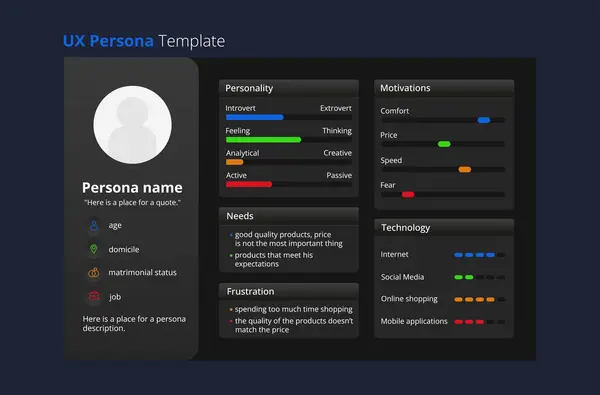
In Human-Centered Design (HCD), understanding the people who use your product or service is the cornerstone of building meaningful, effective solutions. One of the most powerful tools in this process is the User Persona a research-based representation of key user groups that captures their motivations, needs, goals, and pain points.

The Purpose of User Personas

User personas serve as a bridge between design and reality — transforming abstract data into relatable, humanized profiles. They help teams empathize with end users by illustrating who they are, what they value, and what challenges they face. By grounding decisions in real user insights, personas guide product teams to design experiences that are intuitive, relevant, and aligned with user expectations.

Where Personas Fit in the HCD Process
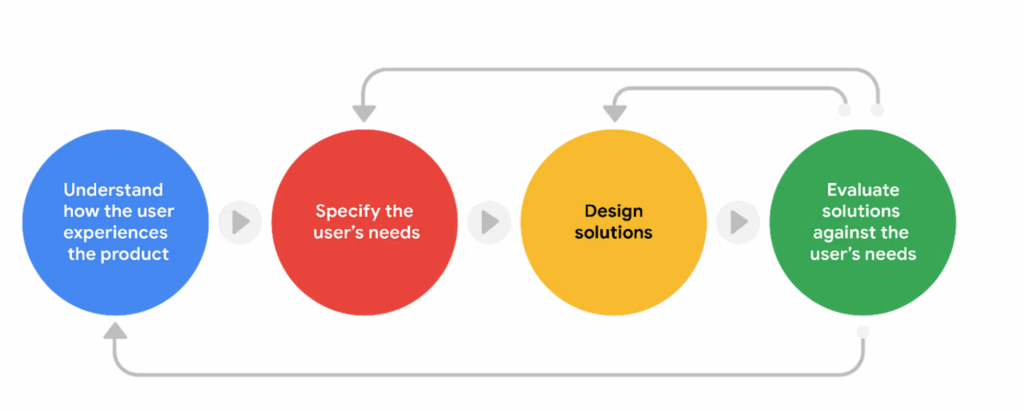
Creating user personas is a critical activity within the User Research phase of the Human-Centered Design process. During this stage, researchers and analysts gather qualitative and quantitative data through interviews, surveys, observations, and usability studies. The goal is to uncover behavioral patterns and identify shared characteristics that form the foundation of persona development.

Once synthesized, personas become a living reference point that informs subsequent design and development activities — from defining user journeys to shaping functional requirements and prioritizing features.

Outputs Captured Through User Personas
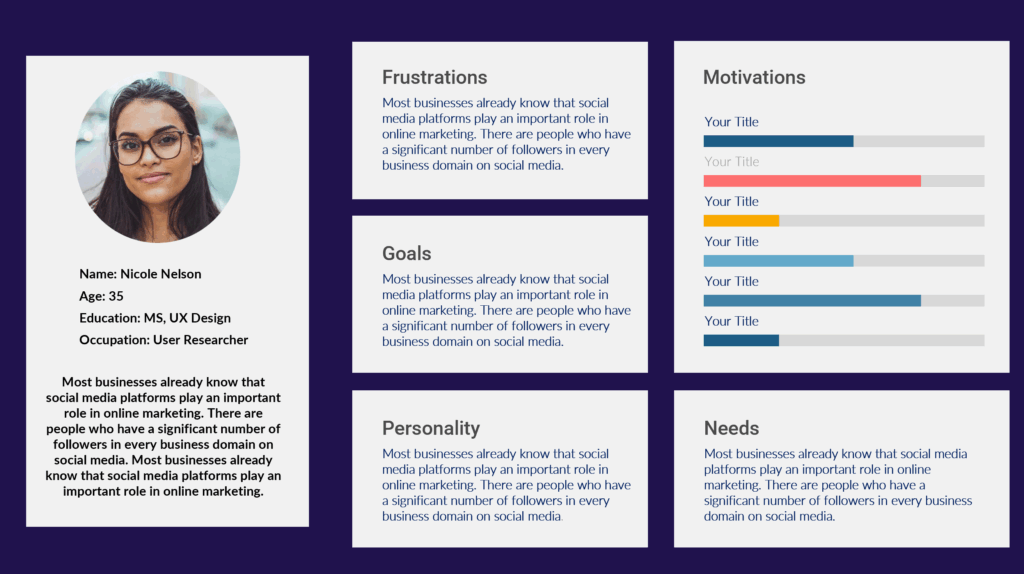
Well-developed user personas capture a range of essential insights, including:

User Needs: The problems or desires that users expect the product or service to fulfill.

Goals: The outcomes or achievements users seek through their interactions.

Pain Points: Frustrations, barriers, or inefficiencies that negatively impact the user experience.

Behaviors and Motivations: How users engage with the product, what drives their decisions, and what influences their actions.

These outputs ensure that every design and product decision remains anchored in real-world context, not assumptions.

The Role of the Business Analyst in Persona Development

While designers often lead persona creation, Business Analysts (BAs) play a vital role in ensuring user needs align with organizational goals and technical feasibility. Through stakeholder interviews, process analysis, and requirement documentation, BAs translate persona insights into actionable business and functional requirements.

They serve as a connector — bridging user research with business strategy. This alignment ensures that solutions are not only desirable for users but also viable for the business and feasible for development teams.

Conclusion

User personas are more than just profiles; they are strategic tools that keep teams focused on what truly matters the people who will use and benefit from the product. By integrating personas early in the HCD process and leveraging the analytical rigor of business analysts, organizations can create solutions that are both user-centered and business-aligned.

When teams understand who they’re designing for and why, they create products that resonate, inspire, and deliver lasting impact.
🧭 Strategic vs. Product Roadmaps: Visualizing the Path from Vision to Delivery

Introduction

In today’s fast-paced product environment, clarity and alignment are vital. A well-crafted roadmap is more than a list of milestones — it’s a visual story that connects the product vision, organizational strategy, and delivery outcomes.

Yet, not all roadmaps serve the same purpose. The two most common — the Strategic Roadmap and the Product Roadmap play distinct but complementary roles in ensuring alignment from the boardroom to the scrum team.


1. The Strategic Roadmap: Framing the Vision

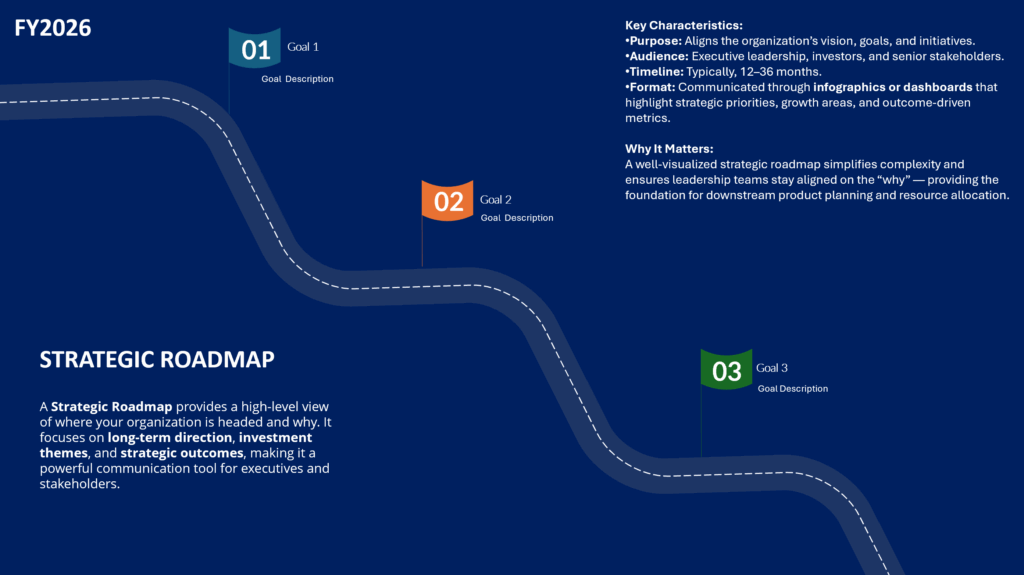
A Strategic Roadmap provides a high-level view of where your organization is headed and why. It focuses on long-term direction, investment themes, and strategic outcomes, making it a powerful communication tool for executives and stakeholders.

Key Characteristics:

  • Purpose: Aligns the organization’s vision, goals, and initiatives.
  • Audience: Executive leadership, investors, and senior stakeholders.
  • Timeline: Typically 12–36 months.
  • Format: Communicated through infographics or dashboards that highlight strategic priorities, growth areas, and outcome-driven metrics.

Why It Matters:
A well-visualized strategic roadmap simplifies complexity and ensures leadership teams stay aligned on the “why” — providing the foundation for downstream product planning and resource allocation.


2. The Product Roadmap: Translating Vision into Execution

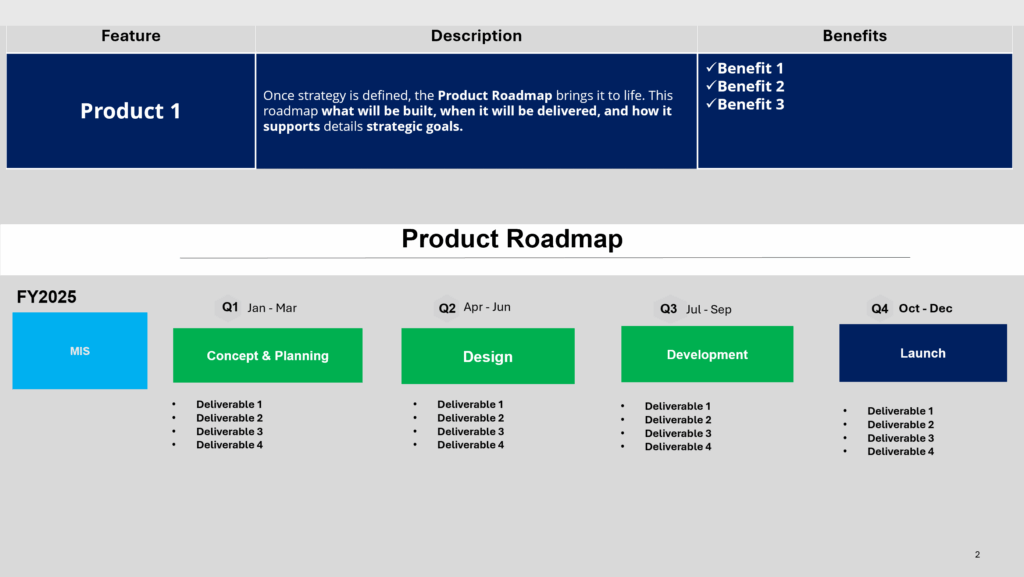
Once strategy is defined, the Product Roadmap brings it to life. This roadmap details what will be built, when it will be delivered, and how it supports strategic goals.

Key Characteristics:

  • Purpose: Guides execution and communicates delivery progress.
  • Audience: Product teams, engineering, marketing, and operations.
  • Timeline: Typically 3–12 months.
  • Format: Presented in PowerPoint decks or interactive planning tools, featuring timelines, deliverables, dependencies, and KPIs.

Why It Matters:
A tactical roadmap ensures every sprint, release, and milestone ties directly back to the larger organizational strategy — keeping execution focused, measurable, and transparent.


3. Communicating with Visuals: From Complexity to Clarity

Great roadmaps don’t just inform — they inspire action. Visuals play a critical role in making complex information understandable across audiences.

Strategic Roadmaps benefit from:

  • Infographic-style layouts showing pillars, themes, and investment areas.
  • High-level visuals that emphasize outcomes over features.

Product Roadmaps thrive with:

  • PowerPoint templates that include timelines, release phases, and dependencies.
  • Clear milestone visuals that connect tactical progress to strategic objectives.

By tailoring your visual approach, you make it easier for stakeholders to interpret the story behind the roadmap — reducing confusion and increasing confidence in the plan.


4. Request Visual Roadmap Templates

To make it easier for teams to get started, we’ve created ready-to-use visual roadmap templates that include both:

  • Strategic Roadmap Infographics, and
  • Product Roadmap PowerPoint layouts with timeline and deliverable structures.

📩 Click here to request access to the Visual Roadmap Templates via Google Form.

These templates are designed to help product managers and leaders present their roadmap with clarity, consistency, and alignment — no matter where they are in the planning cycle.


5. Final Thoughts

A roadmap is more than a planning artifact it’s a strategic communication tool that connects vision to value.

By distinguishing between strategic and product roadmaps and presenting them through clear, visually engaging formats, product managers can:

  • Strengthen alignment across teams,
  • Improve stakeholder engagement, and
  • Drive execution with greater confidence and transparency.

As organizations evolve, so should the way we communicate our vision.
A visual roadmap doesn’t just show the path — it makes the journey understandable, actionable, and inspiring.

Advancing Digital Inclusion: Accessibility Testing with the Axe Dev Tools Chrome Extension

In the era of digital-first services, ensuring that applications and websites are accessible to all users—including those with disabilities is not just a legal mandate but a moral imperative. As organizations strive for compliance with standards like WCAG, Section 508, and ADA, integrating accessibility testing into development workflows is essential. Among the tools that make this goal attainable is the Axe Dev Tools Chrome Extension, a powerful utility from Deque Systems.

This article explores the features, benefits, limitations, and strategic importance of incorporating Axe DevTools into accessibility testing programs, particularly for accessibility SMEs, health communication experts, technical SMEs, and senior leadership seeking to champion inclusive digital experiences.


Understanding Axe DevTools

Axe DevTools is a browser extension for Chrome and Edge that enables developers and testers to identify accessibility issues directly within the browser. Built on the open-source axe-core library, the tool provides fast, reliable, and actionable insights into accessibility violations.

Key Features:

  • Automated Scanning: One-click scans identify common accessibility violations across your page, categorized by severity.
  • Element Highlighting: Issues are visually indicated in the DOM with clear annotations and descriptions.
  • Guided Testing (Pro Version): Step-by-step manual testing instructions for complex interactions such as keyboard navigation and screen reader behavior.
  • WCAG Compliance Mapping: Each issue is linked to relevant WCAG success criteria, making it easy to align findings with compliance frameworks.
  • Exportable Reports: Generate shareable reports for documentation, triage, and stakeholder communication.

Benefits of Axe DevTools for Technical and Accessibility Teams

1. Improves Developer Empathy and Awareness

By surfacing accessibility issues in the developer’s natural workflow, Axe DevTools helps bridge the gap between code and lived user experience.

2. Speeds Up Issue Identification

The tool enables real-time feedback, helping teams catch and fix issues early in the development cycle before they reach QA or production.

3. Supports Shift-Left Testing

Axe DevTools encourages the integration of accessibility checks earlier in the software lifecycle, minimizing technical debt and reducing the cost of remediation.

4. Enhances Team Collaboration

Clear, well-documented issue reports facilitate collaboration among designers, developers, testers, and accessibility SMEs.

5. Integrates with CI/CD Workflows

Although the Chrome extension is primarily for manual testing, Axe’s broader ecosystem includes CLI tools and APIs that can be used to automate accessibility testing in CI/CD pipelines.


Strategic Importance: Compliance, Risk Mitigation, and Inclusion

Why Accessibility Testing Matters:

  • Legal Compliance: Organizations in healthcare, education, government, and commerce are required to meet standards such as WCAG 2.1 and Section 508. Non-compliance can result in lawsuits, fines, and reputational damage.
  • Digital Equity: In health communication, accessible content ensures that critical information reaches all populations, including those with visual, auditory, motor, or cognitive impairments.
  • Operational Efficiency: Early testing reduces downstream development and QA costs by addressing issues before they proliferate.
  • Brand Trust: Demonstrating a commitment to accessibility enhances brand perception and aligns with DEI (Diversity, Equity, and Inclusion) goals.

Pros and Cons of Axe DevTools

✅ Pros:

  • Intuitive user interface with minimal learning curve
  • Based on the widely trusted axe-core engine
  • WCAG-compliant issue categorization
  • Exportable reports for traceability and documentation
  • Supported by a strong community and documentation base

❌ Cons and Drawbacks:

  • Limited to Chrome and Edge (no Firefox/Safari support)
  • Free version covers only automated testing; advanced guided testing requires a Pro license
  • Does not replace the need for full manual and assistive technology testing (e.g., screen reader audits)
  • May produce false positives or overlook contextual issues that require human judgment

Incorporating Accessibility into CI/CD Pipelines

While the browser extension is a great entry point, a mature accessibility strategy incorporates automation into CI/CD pipelines using the axe CLI, axe-linter, or integration with tools like Jenkins, GitHub Actions, or Azure DevOps.

Best Practices:

  • Run automated accessibility scans on every build
  • Gate releases based on severity of accessibility violations
  • Combine automated checks with manual testing cycles
  • Include accessibility status in release dashboards for visibility

Conclusion

For organizations committed to digital inclusion, the Axe DevTools Chrome Extension is a vital instrument in the accessibility testing toolkit. It empowers developers to act early, supports compliance efforts, and enhances collaboration across technical and non-technical teams.

By integrating accessibility checks into CI/CD pipelines and aligning with best practices in health communication, product development, and enterprise governance, teams can ensure that their digital experiences are not only functional but universally usable.

Recommendation for Leadership and SMEs: Treat accessibility not as a checklist item but as a continuous practice embedded into your development culture. Axe DevTools is an accessible entry point toward achieving that mission.

Harnessing SharePoint Out-of-the-Box Features for Cross-Functional Collaboration and Tracking

In an age where collaboration, transparency, and agility are essential for delivering business value, Microsoft SharePoint stands as a mature and versatile platform that empowers teams to work smarter, not harder. When deployed thoughtfully, SharePoint’s out-of-the-box (OOB) capabilities can become a powerful hub for cross-functional coordination, project tracking, and centralized knowledge management. This post explores how SharePoint Lists and Custom Views, along with Microsoft’s guidance on design and integration, can elevate enterprise collaboration. We also explore how SharePoint naturally complements the broader Microsoft Power Platform ecosystem.


Leveraging SharePoint Lists and Custom Views

One of SharePoint’s most robust and accessible features is the SharePoint List. Lists are essentially dynamic, customizable tables that can track everything from tasks and issues to project milestones and asset inventories.

Key Benefits of SharePoint Lists:

  • No-code customization: Product managers and business analysts can configure list columns, validation rules, and views without developer involvement.
  • Versioning and history tracking: Track changes over time and ensure auditability.
  • Integration with Power Automate: Trigger notifications, approvals, and workflows seamlessly.
  • Permissions and roles: Manage access at the list or item level.

Custom Views for Tracking and Visibility

Custom Views allow teams to tailor the display of data based on filters, grouping, and formatting. For example:

  • Kanban-style board views for task management
  • Calendar views for project planning
  • Gantt chart-style views (via integration)
  • Conditional formatting for flagging overdue tasks or priority items

These tools empower cross-functional teams to stay aligned while reducing overhead and friction in status reporting.


Microsoft Style Guide and Look Book for Site Design

Microsoft provides a robust Style Guide and the SharePoint Look Book to ensure visual consistency and brand alignment across SharePoint experiences. These resources are invaluable for teams aiming to build purposeful and aesthetically aligned sites without extensive design resources.

Site Templates Include:

  • Team Sites: Best suited for departmental and agile teams with shared document libraries, task lists, and communication threads.
  • Communication Sites: Ideal for broadcasting information broadly across the organization, such as leadership updates or program overviews.
  • Project Management Sites: Purpose-built for managing scope, timelines, resources, and risks, often integrated with Planner and Microsoft Project.

These templates align with best practices for UX and accessibility, enabling teams to create visually polished experiences with minimal customization.


SharePoint in the Power Platform Ecosystem

SharePoint is not an isolated tool; it is a strategic component of the broader Microsoft Power Platform, which includes:

  • Power Apps: Build tailored applications that write to and read from SharePoint Lists.
  • Power Automate: Automate tasks like notifications, document approvals, or reminders based on list activity.
  • Power BI: Visualize list data to create dashboards and reports for operational insights.

Together, these tools allow organizations to move beyond static document repositories and into the realm of data-driven collaboration. With low-code capabilities, technical leads and business users alike can prototype, deploy, and iterate on solutions that enhance team productivity.


Governance and Strategic Alignment

For leadership and technical governance teams, aligning SharePoint implementations with organizational strategy is paramount. SharePoint allows for scalable governance models, including:

  • Information architecture standardization
  • Security and compliance controls
  • Site provisioning automation
  • Template reuse for onboarding and project kickoff

When well-structured, SharePoint supports federated team environments while enabling centralized oversight.


Conclusion

SharePoint’s out-of-the-box features, especially Lists and Custom Views, are more than functional conveniences—they are foundational tools for building transparency, collaboration, and accountability across teams. When coupled with Microsoft’s design guidance and integrated with the Power Platform, SharePoint becomes a comprehensive solution for modern work management.

Recommendation for Product Managers and Technical Leads: Start by evaluating where manual coordination or siloed communication exists. A well-configured SharePoint site could be the bridge that brings data, people, and process together into a shared, governed space.

With the right implementation, SharePoint can be a catalyst for operational excellence and digital transformation.

Workflow Automation

Boosting Efficiency with Workflow Automation: A Guide for Small Businesses, Tech Startups, and Entrepreneurs

In the fast-paced world of modern business, efficiency isn’t just a luxury — it’s a necessity. For small businesses, tech startups, and entrepreneurs striving to scale and compete, streamlining workflows can mean the difference between success and stagnation.

Enter workflow automation: a game-changing approach to replacing manual, time-consuming processes with digital efficiency.

But what tools make this transformation possible? For many businesses, the magic lies in tech stacks like LAMP, MEAN, and MERN. These powerful frameworks offer the backbone for creating tailored solutions to simplify workflows, boost productivity, and cut costs.

Let’s dive into what these stacks are and how they can revolutionize your operations.

The Power of Workflow Automation

Workflow automation replaces repetitive manual tasks with automated processes, reducing errors and freeing up time for more strategic activities. Whether it’s managing customer inquiries, processing orders, or handling data synchronization, automation tools can:

  • Save Time: Automate routine processes, allowing teams to focus on high-value work.
  • Enhance Accuracy: Eliminate human errors common in repetitive tasks.
  • Boost Scalability: Handle increasing workloads without a proportional rise in costs or staff.
  • Improve Collaboration: Streamline communication and ensure team members stay aligned.

LAMP, MEAN, and MERN: Foundations of Automation

Workflow automation doesn’t happen by magic. It requires robust frameworks to build applications and integrate processes effectively. That’s where LAMP, MEAN, and MERN come in.

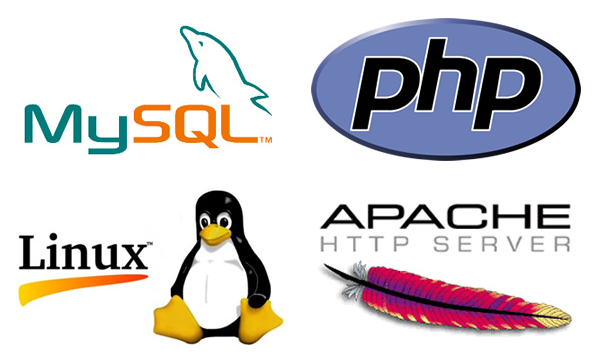
1. LAMP (Linux, Apache, MySQL, PHP)

LAMP stack

The LAMP stack is a tried-and-true framework that has powered countless web applications. It’s especially valuable for small businesses looking for reliable and cost-effective solutions.

  • Linux: Provides a stable, open-source operating system.
  • Apache: Handles web server duties for hosting applications.
  • MySQL: Manages databases, enabling efficient storage and retrieval of information.
  • PHP: Offers flexibility in coding server-side scripts.

Use Case: Automating a customer feedback system. LAMP can power a web-based application that collects feedback, organizes it in a database, and triggers automated follow-ups or analytics dashboards.

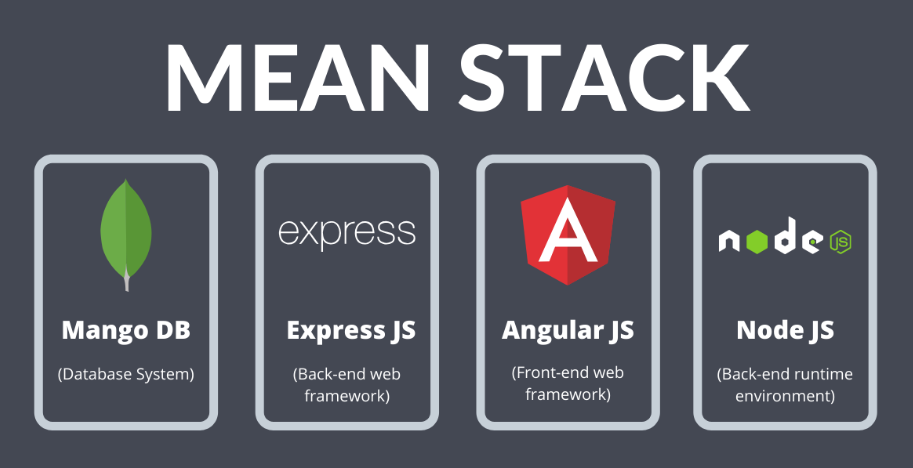
2. MEAN (MongoDB, Express.js, Angular, Node.js)

MEAN stack

The MEAN stack is a modern, JavaScript-based framework ideal for creating dynamic, cloud-ready applications. Its versatility makes it a favorite among tech startups.

  • MongoDB: A NoSQL database for flexible, scalable data storage.
  • Express.js: Simplifies backend development with robust middleware.
  • Angular: Builds dynamic, user-friendly frontends.
  • Node.js: Ensures high-speed server-side operations.

Use Case: Automating inventory management. A MEAN stack application can track stock levels in real time, send alerts for low inventory, and sync data with sales systems.

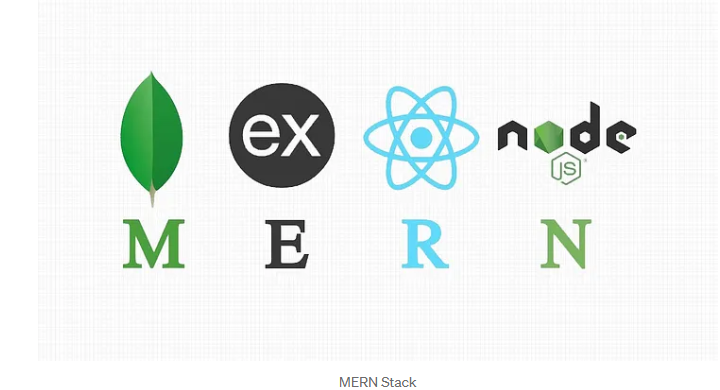
3. MERN (MongoDB, Express.js, React, Node.js)

MERN stack

Similar to MEAN, the MERN stack swaps Angular for React, a popular library for building highly interactive user interfaces. MERN is perfect for businesses prioritizing seamless user experiences.

  • React: Enables developers to create fast, responsive interfaces.

Use Case: Automating client onboarding. A MERN stack application can guide clients through a self-service onboarding process, integrating with CRM tools for automatic data entry.

Why These Stacks Matter for Small Businesses and Startups

  1. Cost Efficiency: Open-source components keep development costs low.
  2. Scalability: Easily handle growing workloads as your business expands.
  3. Customizability: Tailor solutions to your unique needs, ensuring relevance and usability.
  4. Integration Capabilities: Seamlessly connect with third-party tools and APIs, such as payment gateways, marketing platforms, and analytics tools.

Getting Started with Workflow Automation

Implementing workflow automation might feel daunting, but these steps can guide you:

  1. Identify Bottlenecks: Analyze existing workflows to pinpoint inefficiencies.
  2. Set Clear Goals: Define what you want to achieve with automation (e.g., faster processing, better accuracy).
  3. Choose the Right Tools: Select the stack that aligns with your business needs and technical expertise.
  4. Develop and Test: Work with developers to build and test your automation solutions.
  5. Monitor and Optimize: Continuously refine workflows to ensure maximum efficiency.

Final Thoughts

In today’s competitive landscape, workflow automation isn’t optional — it’s essential. With frameworks like LAMP, MEAN, and MERN, small businesses, tech startups, and entrepreneurs can unlock new levels of efficiency and innovation. By embracing these tools, you’re not just streamlining processes; you’re building a foundation for sustainable growth.

So, what’s holding you back? Dive into workflow automation today and watch your business transform.